Overview
This is the new official version of Cormas. We
continue to design the framework towards two
directions: 1) to enable the development of
interactive simulations, and 2) to facilitate the
collective design and implementation of models.
Compared to the previous one, this version focuses
more on the first point: to interact more easily
with the agents of a simulation in order to
participate, alone or with others, in the execution
of a scenario. This version is particularly suitable
for:
- Distributing a simulation on several machines
(currently only on Windows OS), and monitoring the
evolution of a remote simulation, displaying
particular points of view and remotely
manipulating the entities,
- Stepping back in time of a simulation or
replaying forward a previously stored simulation,
- Piloting sensitivity analyzes from R.
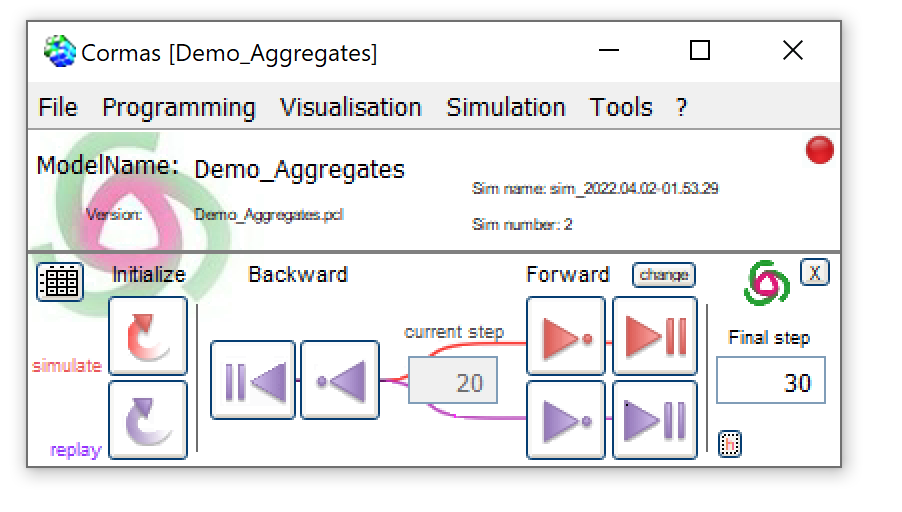
The main interface of
Cormas
Download
Cormas

The following file is for a minimal installation
of VisualWorks and Cormas.
- Download
cormas2025_package
(25 Mo, or click on the "Download" image) and
unzip it on the folder of your choice.
- Then launch cormas.exe.
Note: this installation contains cormas.exe for
Windows. It also works under Mac and Linux, but in
this case it is necessary to open the
cormas.im
file by associating it with cormas/macx/
visual.app
Add-ons: UML and R
Two new modules are available: an UML class diagram
editor and R routines to remotely control
Cormas.
UML editor
Designed and implemented by Peter Uhnak (University
of Pragues) as an "OpenPonk" module (https://openponk.github.io),
this editor allows you to draw a class diagram (with
attributes, default values, associations, ...) and
generate VisualWorks source code for Cormas.
OpenPonk is written in PHARO,
an open-source Smalltalk. So for now, this editor is
not integrated into Cormas. It just enable to
generate .st files and load them manually into
Cormas.
The current version is still Beta : download openponk.cormas-beta.zip
Scripts R 
To generate experiment plans and run sensitivity
analyzes from R, download and unzip this file (R-Cormas.zip)
into /cormas. This folder contains a document that
explains the procedure.
In case the WebServices parcels are not on your
computer when intalling Cormas, download the WebServices.zip
file and unzip it into VW7.6/
Troubleshouting for Windows 7 & 10
Sometimes on Windows 7 & 10, the VisualWorks
Home directory cannot be changed. See the procedure
to fix that.

